close
close
StockMusic.ir
  • کیت قالب المنتور طراحی داخلی و معماری

  • Aestic - Interior Design & Architecture Elementor Template Kit

کیت قالب المنتور طراحی داخلی و معماری
  • circle شرکت سازنده: Envato Elements
  • circle کد محصول: WZ7WHSL
  • circle فرمت فایل: RAR
  • circle ویرایش آسان
  • circle شامل لینک فونت رایگان

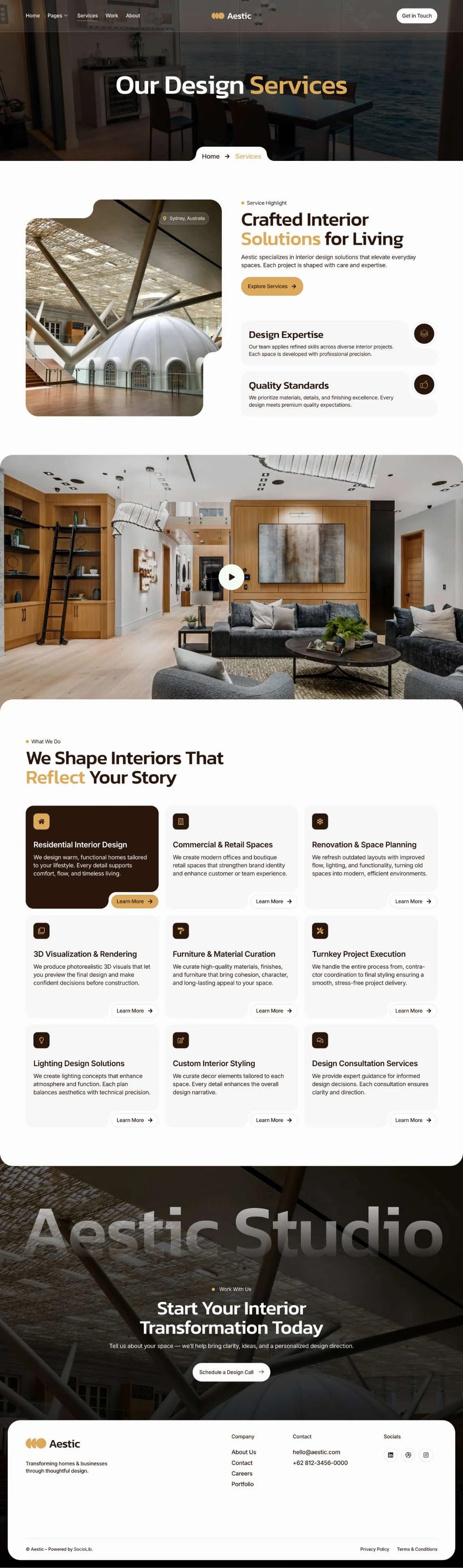
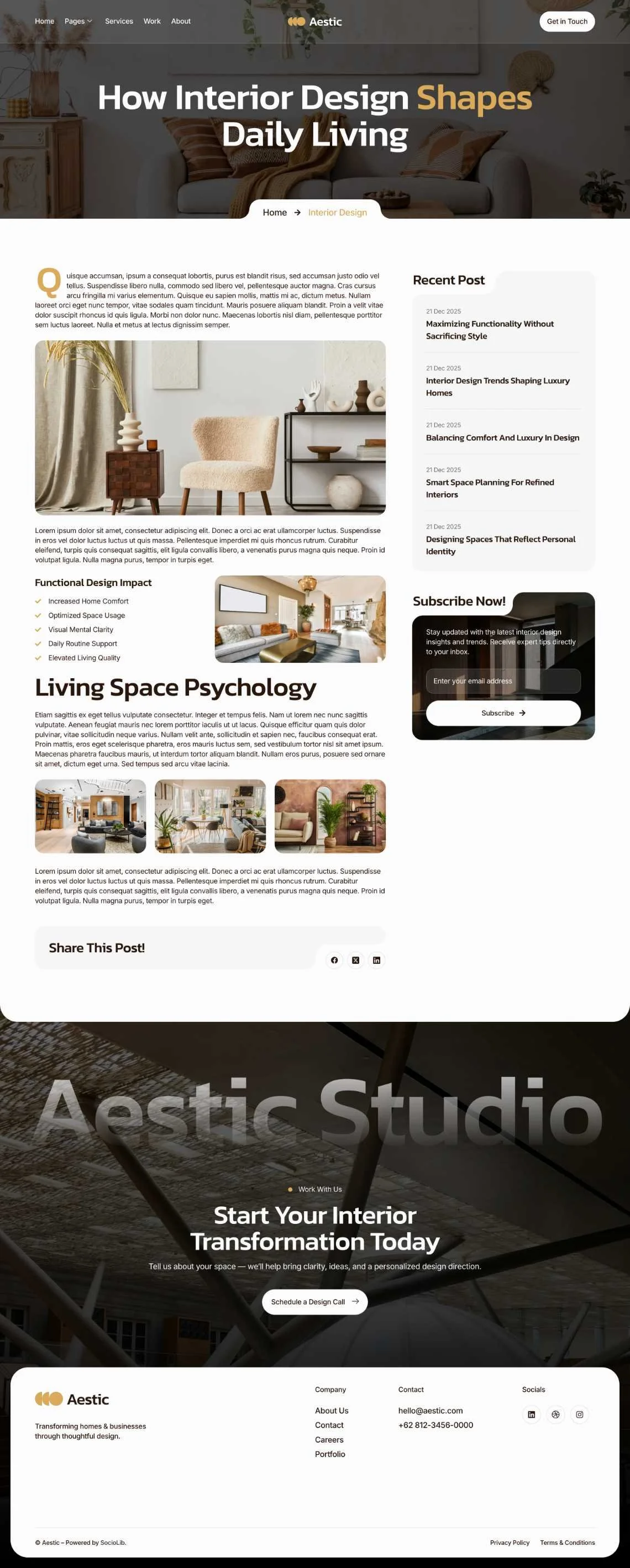
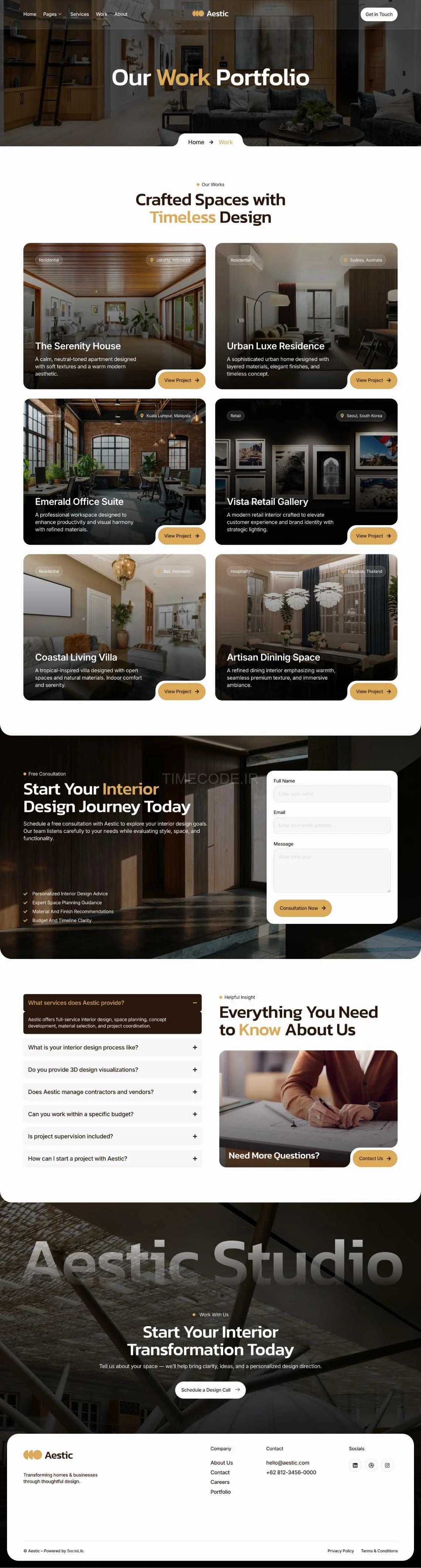
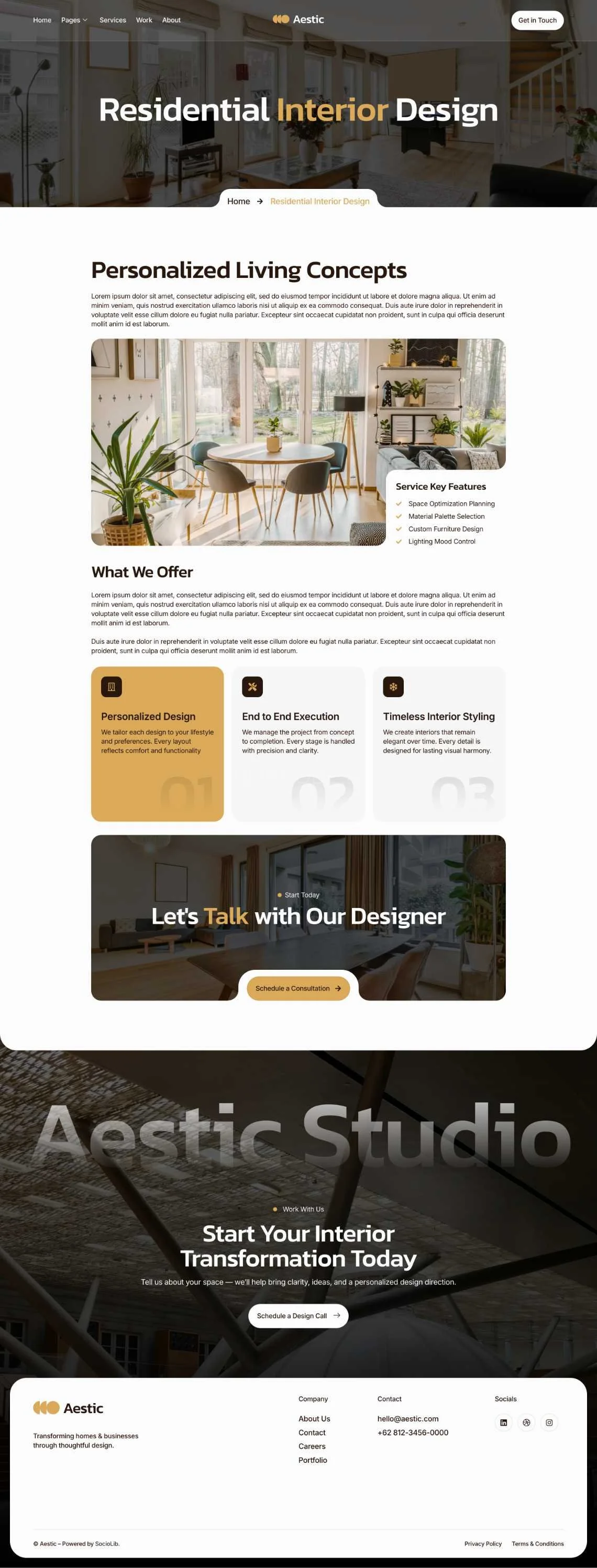
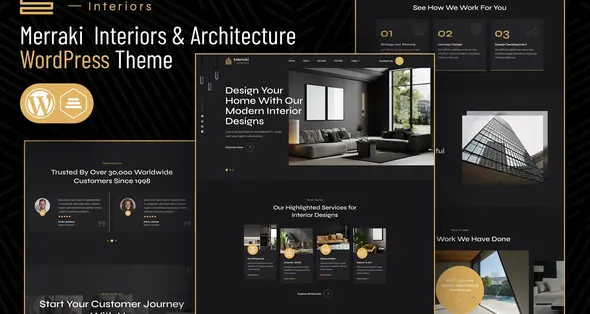
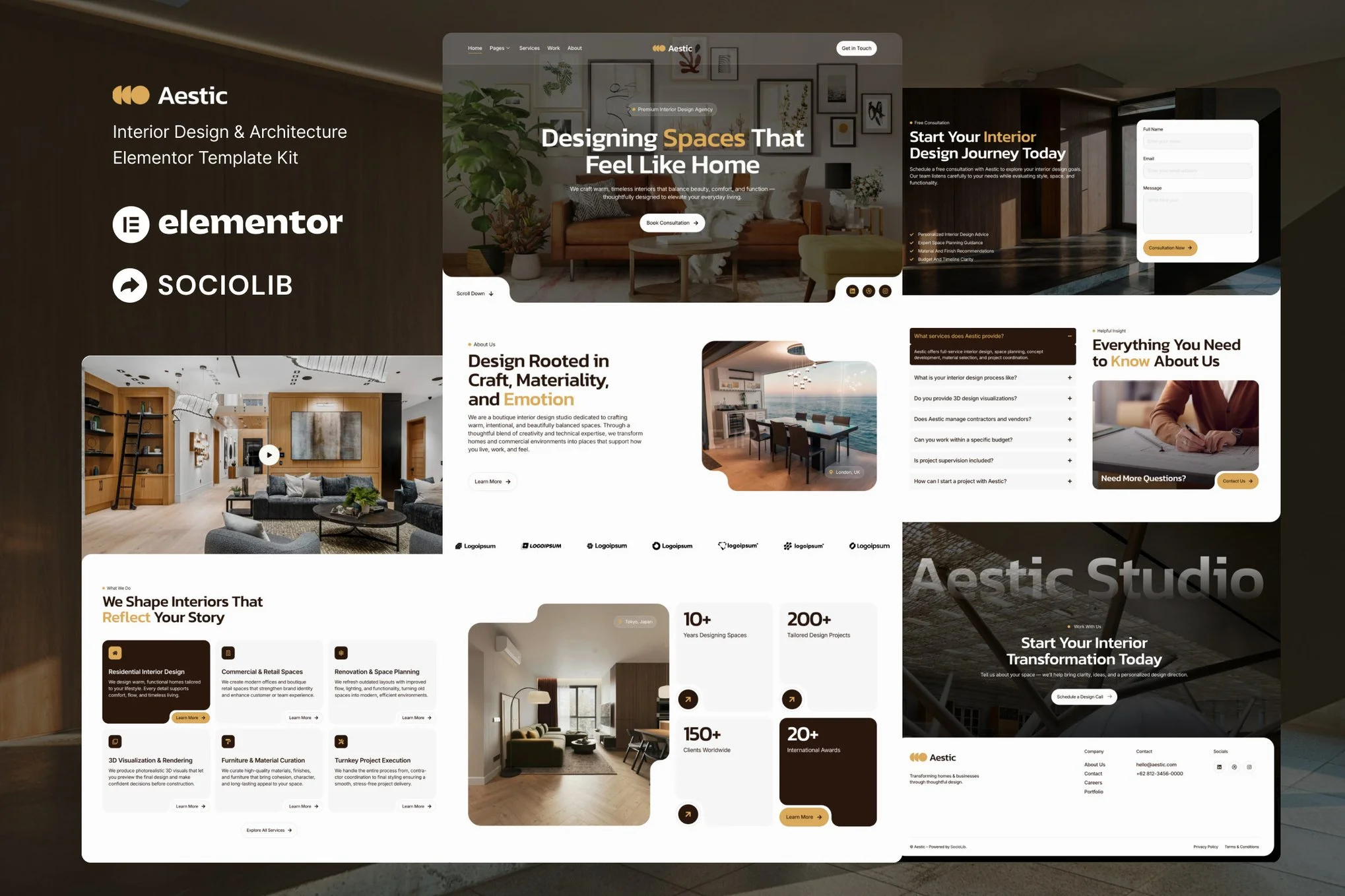
Aestic یک کیت المنتور است برای ساخت سریع و آسان وب‌سایت طراحی داخلی و معماری با استفاده از پلاگین Elementor Page Builder برای وردپرس. مناسب برای آژانس طراحی داخلی، خدمات معماری، خدمات بازسازی، متخصص مبلمان، آژانس طراحی خانه، شرکت ساختمانی، استودیوی طراحی داخلی و غیره. وب‌سایت وردپرس خود را با این تمپلیت کیت با سبک طراحی وب خلاقانه و مدرن، ظاهری امروزی به وبلاگ خود ببخشید.

این یک قالب وردپرس نیست. تمپلیت کیت‌ها حاوی محتوای صفحه برای المنتور پیج بیلدر هستند. این کیت برای استفاده با قالب رایگان Hello Elementor بهینه‌سازی شده است، اما می‌تواند با اکثر قالب‌هایی که از المنتور پشتیبانی می‌کنند نیز استفاده شود.

ویژگی‌ها:

بیش از ۱۵ تمپلیت
شخصی‌سازی واقعی بدون نیاز به کدنویسی با بیلدر بصری کشیدن و رها کردن
شخصی‌سازی فونت‌ها و رنگ‌ها در یک مکان یا تنظیم دقیق روی عناصر جداگانه
طراحی تمیز و مینیمال
بارگذاری سریع
سازگار با اکثر قالب‌های المنتور
طراحی واکنش‌گرا

تمپلیت‌ها:

خانه
خدمات
نمونه کار
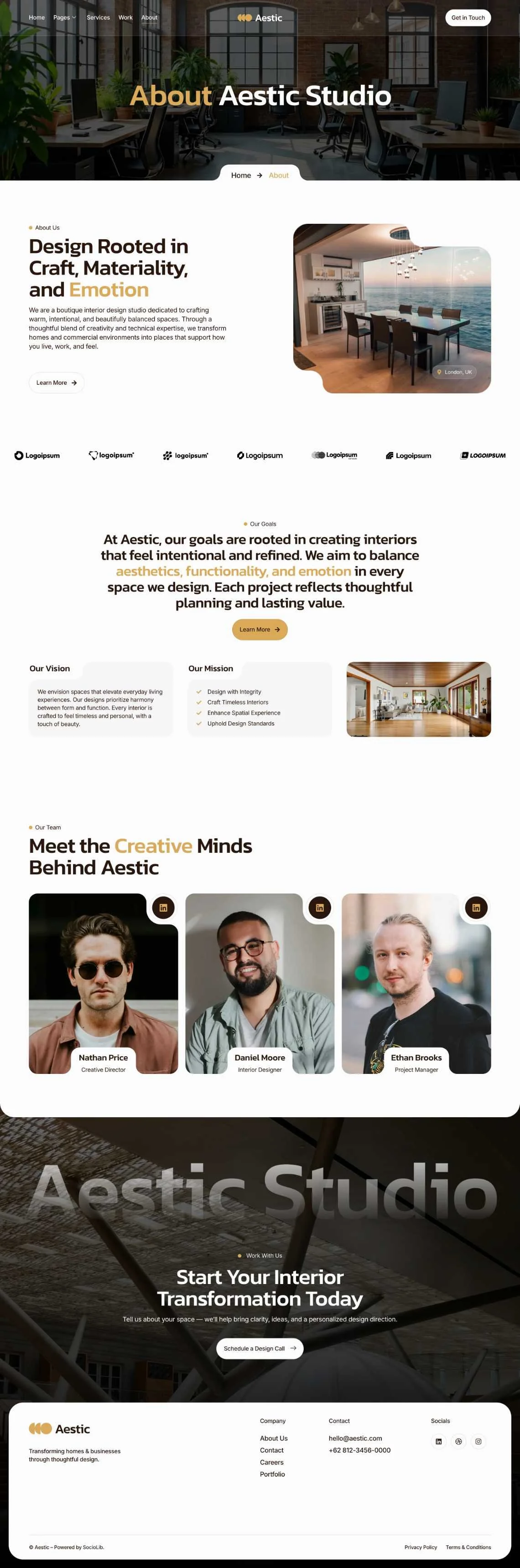
درباره ما
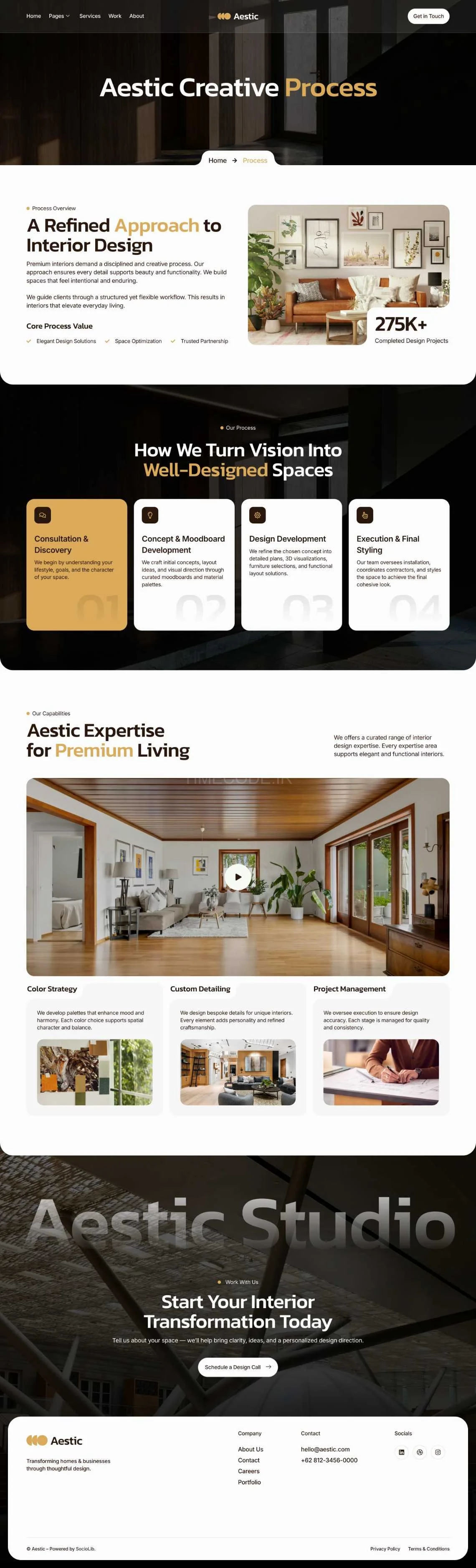
فرآیند
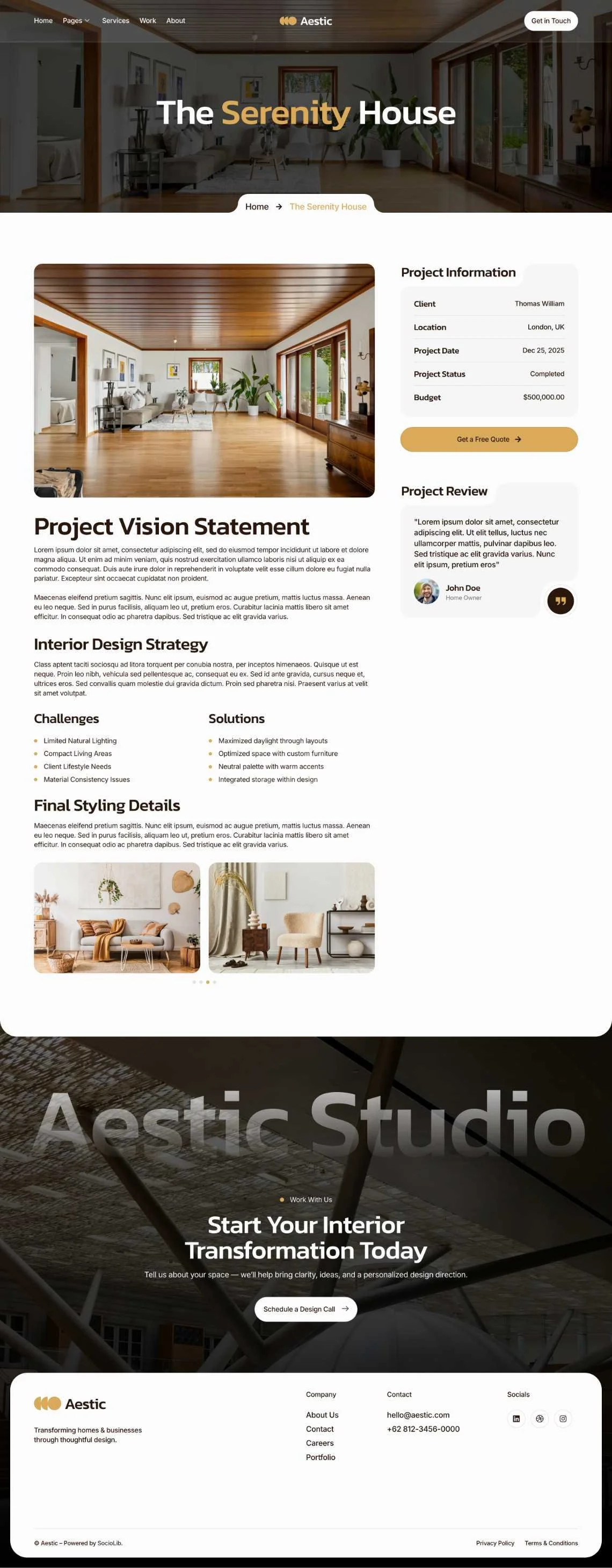
نمونه کار تکی
خدمات تکی
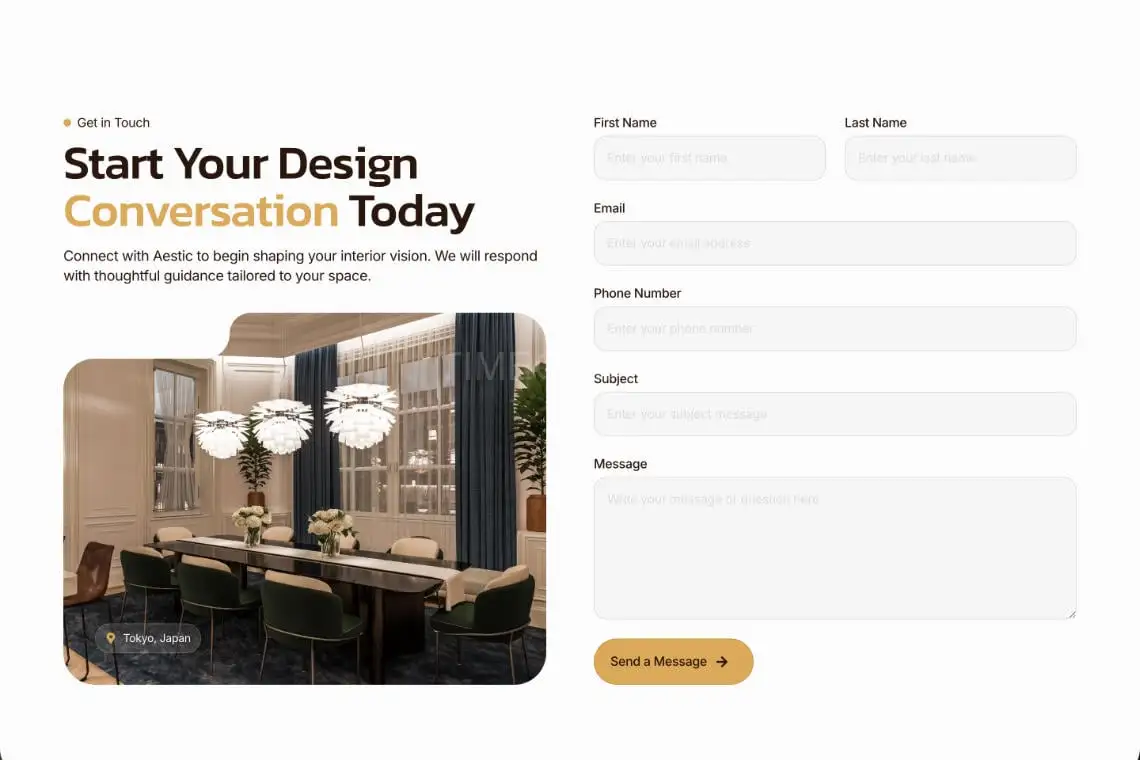
تماس با ما
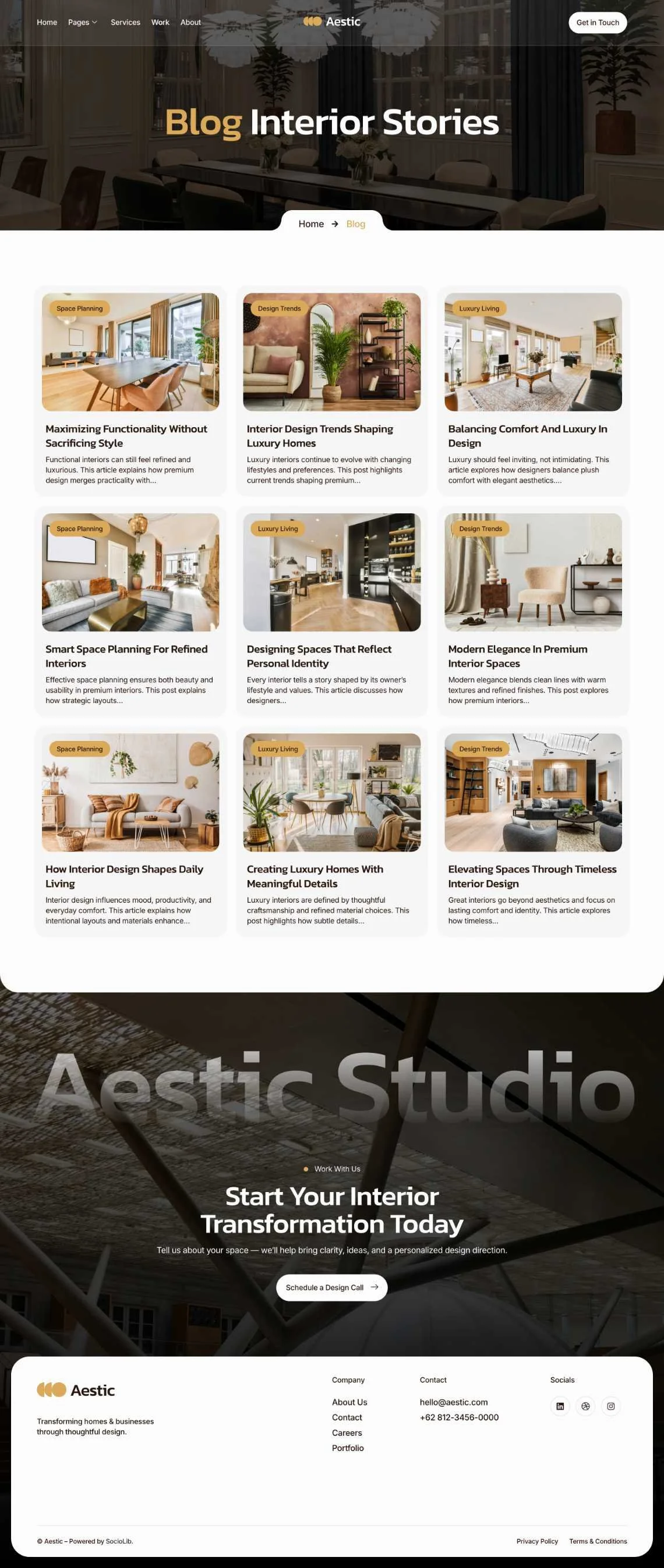
وبلاگ
پست
هدر
فوتر
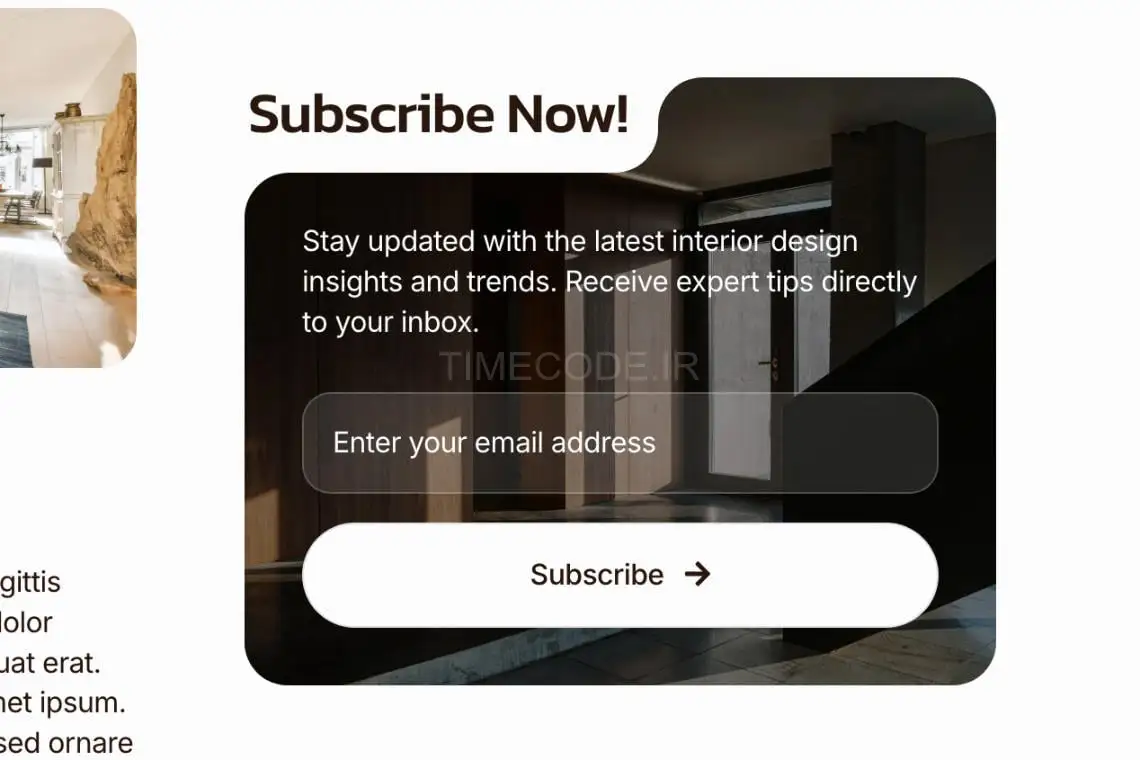
فرم اشتراک Metform
فرم تماس Metform
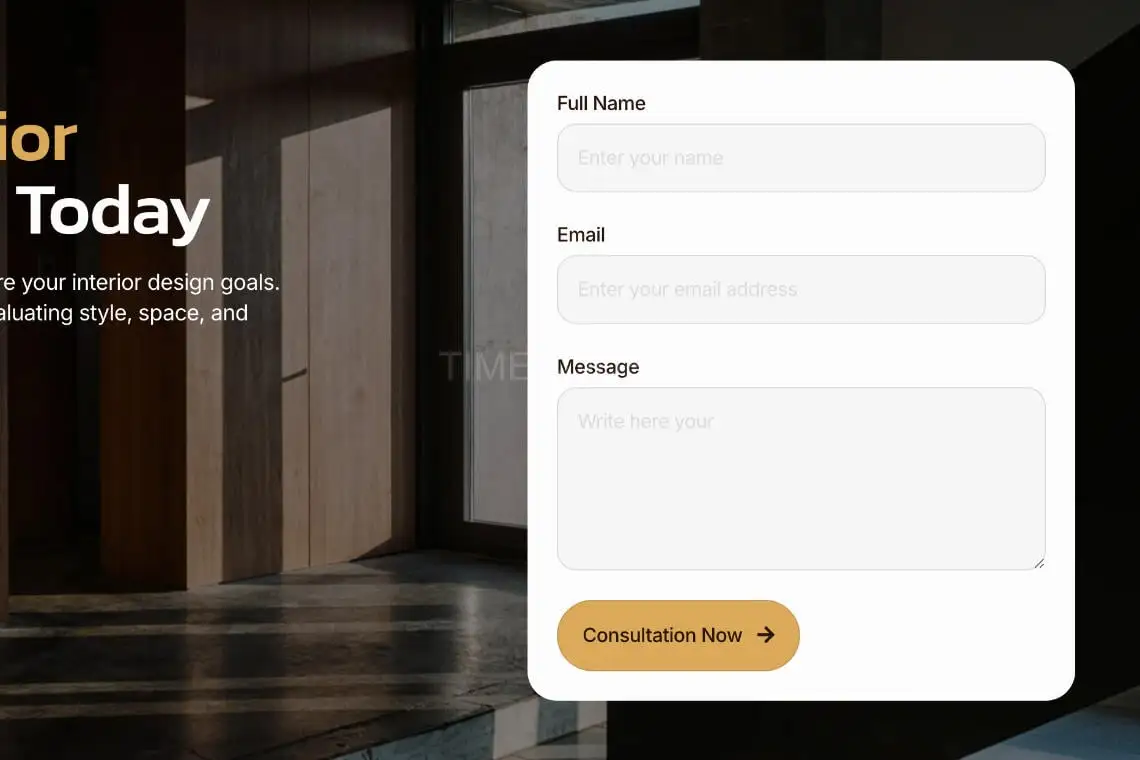
فرم مشاوره Metform
استایل سراسری

پلاگین‌ها (همراه با کیت نصب می‌شوند):

ElementsKit Lite
Metform

نحوه استفاده از تمپلیت کیت‌ها:

این یک قالب وردپرس نیست. تمپلیت کیت‌ها فقط حاوی داده‌های طراحی برای المنتور هستند و با استفاده از پلاگین Template Kit Import برای وردپرس یا مستقیماً از طریق المنتور نصب می‌شوند.

تمپلیت کیت‌های المنتور برای نصب از پلاگین Template Kit Import استفاده می‌کنند.

تنظیم هدر در ElementsKit Lite

اگر Elementor Pro را دارید، هدرها و فوترها را در Theme Builder تنظیم کنید. صفحاتی که با المنتور ایجاد می‌کنید باید Page Layout را روی Elementor Full width تنظیم کرده باشند تا هدر و فوتر سراسری نمایش داده شوند.

۱. به ElementsKit > Header Footer بروید
۲. اگر از شما خواسته شد که مراحل ویزارد را طی کنید، روی Next کلیک کنید تا به انتها برسید و سپس به مرحله ۱ بازگردید (نیازی به وارد کردن آدرس ایمیل یا به اشتراک گذاشتن اطلاعات خود ندارید)
۳. روی دکمه Add New Template در بالا کلیک کنید
۴. نام تمپلیت خود را وارد کنید، سپس “Activate/Deactivate:” را روی On قرار دهید
۵. روی دکمه خاکستری Edit Content کلیک کنید. المنتور باز خواهد شد
۶. روی آیکون پوشه خاکستری کلیک کنید تا به تب My Templates دسترسی پیدا کرده و تمپلیت هدر یا فوتر را Insert کنید
۷. شخصی‌سازی کرده و منتشر کنید

نحوه وارد کردن فرم سفارشی MetForm:

۱. هنگام ویرایش صفحه‌ای که فرم باید در آن ظاهر شود، Elementor navigator را باز کنید تا ویجت Metform را پیدا کنید
۲. در پنل بیلدر روی Edit Form کلیک کنید
۳. New را انتخاب کنید، Blank را انتخاب شده بگذارید سپس روی دکمه Edit Form کلیک کنید
۴. روی دکمه پوشه خاکستری ‘Add Template’ کلیک کنید
۵. روی تب ‘My Templates’ کلیک کنید
۶. تمپلیت MetForm وارد شده خود را انتخاب کنید، سپس روی ‘Insert’ کلیک کنید
۷. پس از بارگذاری تمپلیت، روی ‘Update’ کلیک کنید
به این پست چه امتیازی می دهید؟

0 / 5. 0

GraphicFarm.ir
  • sell کد محصول: WZ7WHSL
  • folder_zipفرمت: RAR
  • saveحجم: 2 MB
  • linkمنبع

Aestic is an Elementor Template Kit for quickly and easily creating Interior Design & Architecture website using the Elementor Page Builder plugin for WordPress. Suitable for Interior Design Agency, Architecture Services, Renovation Services, Furniture Expert, House Design Agency, Building Company, Interior Design Studio, etc. Style your wordpress website with this creative and modern webdesign style template kit to bring a modern feel to your blog.

This is not a WordPress theme. Template Kits contain page content for Elementor page builder. This kit has been optimized for use with the free Hello Elementor theme but may be used with most themes that support Elementor.

### Features:
15+ Templates
True no-code customization with drag and drop visual builder
Customize fonts and colors in one place or fine-tune on individual elements
Clean and Minimal Design
Fast-loading
Works with most Elementor themes
Responsive Design

### Templates:
Home
Service
Work
About
Process
Single Work
Single Service
Contact
Blog
Post
Header
Footer
Metform Subscribe
Metform Contact
Metform Consultation
Global Style

### Plugins (installed with kit)
ElementsKit Lite
Metform

### How to Use Template Kits:
This is not a WordPress Theme. Template kits contain the design data for Elementor only and are installed using the Template Kit Import plugin for WordPress or directly through Elementor.

Elementor Template Kits use the Template Kit Import plugin to install.

Detailed Guide:

https://help.elements.envato.com/hc/en-us/articles/36032349441945-How-to-Install-Elementor-Template-Kits-With-the-Envato-Elements-Plugin-in-WordPress-for-Envato-Elements-Subscribers

For further support, go to Elementor > Get Help in WordPress menu.

Setup Header in ElementsKit Lite
If you have Elementor Pro, setup headers and footers in Theme Builder. Pages you create with Elementor must have the Page Layout set to Elementor Full width for the global header and footer to appear.

1. Go to ElementsKit > Header Footer
2. If prompted to go through the wizard, click Next all the way through and then return to step 1 (you are not required to enter your email address or share your information)
3. Click Add New Template button at the top
4. Name your template, then toggle "Activate/Deactivate:" to On
5. Click the gray Edit Content button. Elementor will open.
6. Click the gray folder icon to access My Templates tab and Insert the header or footer template.
7. Customize and Publish

How to Import MetForm Custom Form:

1. While editing a page where a form should appear, open the Elementor navigator to locate the Metform widget.
2. Click Edit Form in the builder panel.
3. Select New, leave blank selected then click Edit Form button.
4. Click ‘Add Template’ grey folder button.
5. Click ‘My Templates’ tab.
6. Choose your imported MetForm template, then click ‘Insert’.
7. Once the template is loaded, click ‘Update’.

### Images
This Template Kit uses demo images from Envato Elements. You will need to license these images from Envato Elements to use them on your website, or you can substitute them with your own.
https://app.envato.com/shared/workspaces/cbf7da94-b55e-4580-84ab-192ba45a247e

footagefarm.ir

ارسال دیدگاه

keyboard_arrow_up

ورود به حساب کاربری

بازیابی رمز عبور

یکی از روش‌های زیر را برای بازیابی رمز عبور انتخاب کنید